ChatGPT Space
ChatGPT can build slides your team can still edit
| Slides | Available action |
|---|---|
| Start | Chat, file, outline, or deck |
| Edit | Text, images, shapes, charts |
| Share | Co-edit, comment, export |
- What it does
ChatGPT Slides creates a presentation in Space and keeps its parts editable. Teammates can work on the same deck and leave comments.
- Who gets it
It is rolling out to eligible Pro, Business, and Enterprise users with Space access on the web and desktop app. The web exports to PowerPoint, PDF, or Google Slides.
- Your move
Try a short internal deck from a real outline. Correct the story, numbers, and layout in Space, then export one copy to check how it survives the handoff.
Google Sheets
Ask Gemini about all your BigQuery data from a sheet
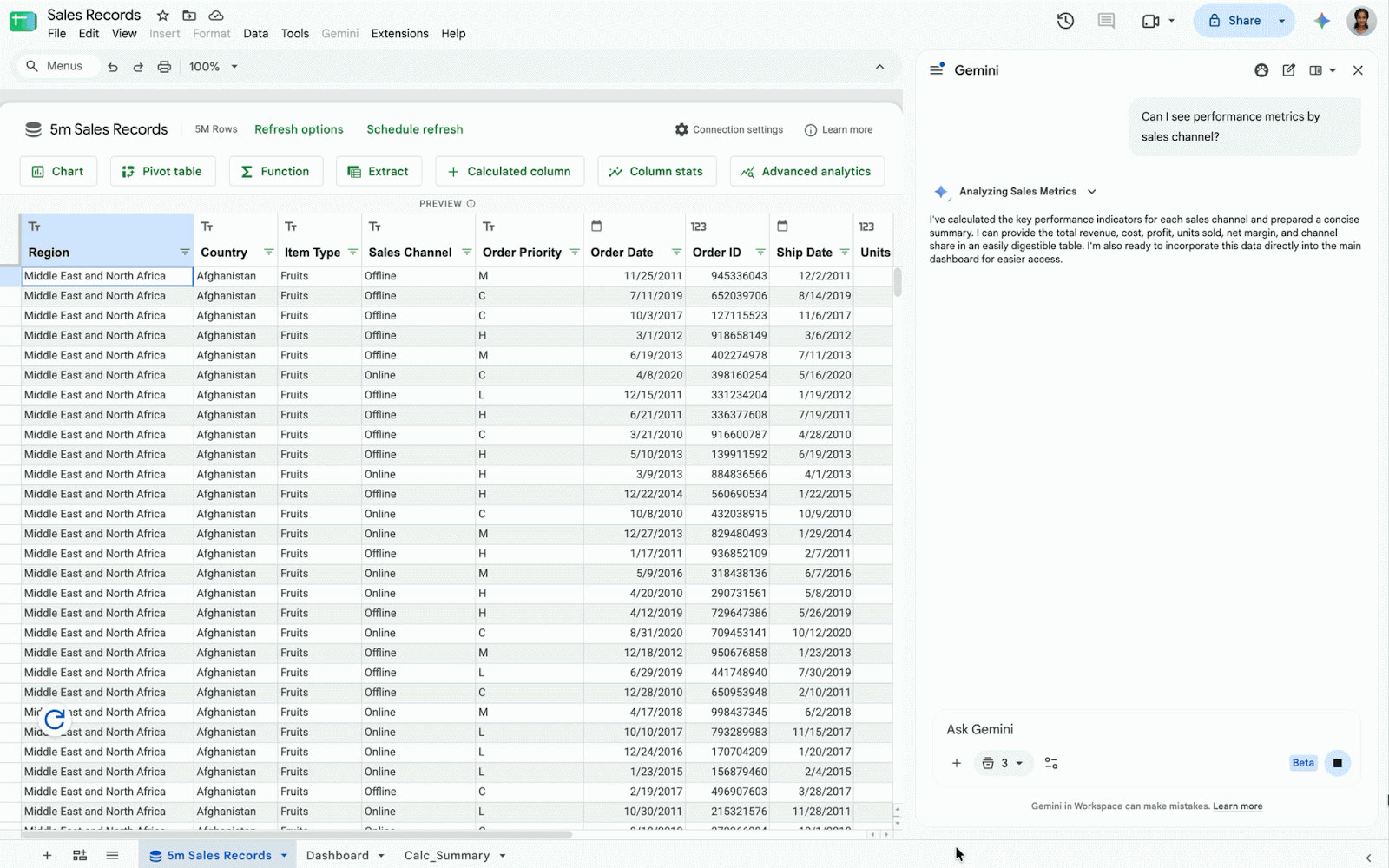
Google's demo shows Gemini answering inside a Connected Sheet backed by BigQuery. View official source ↗
- What it does
In a Connected Sheet, Gemini can query the full BigQuery dataset rather than the visible rows. It can plan and build a new tab with connected formulas, pivot tables, and charts.
- Who gets it
The rollout started October 19 and may take up to 15 days. It requires permission to query the connected data and an eligible Business, Enterprise, Google AI, or education add-on plan.
- Your move
Ask one question whose answer your data team already knows. Check Gemini's calculation and filters before using a generated dashboard in a meeting.
Gemini and Google Sites
A Gemini app can become a shareable Google Site
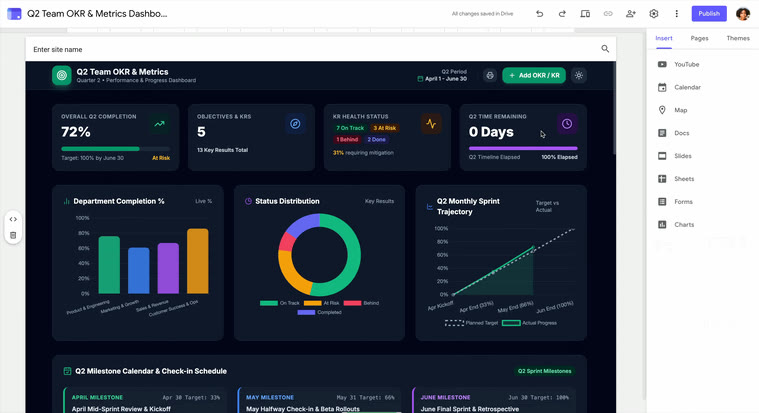
Google's demo shows the app placed in a private Google Sites draft. View official source ↗
- What it does
Export to Google Sites turns an interactive app made in Gemini into a private site draft. You can edit the site, then publish and share it.
- Who gets it
It is available on web and mobile to people with Gemini app access. In a company, Google Sites must be enabled and the user must be allowed to create and edit sites.
- Your move
Export a small internal calculator or dashboard. Test its controls as a viewer, check who can open the draft, and publish only after checking the data it exposes.
Notion
Notion can give different agents the same workspace context
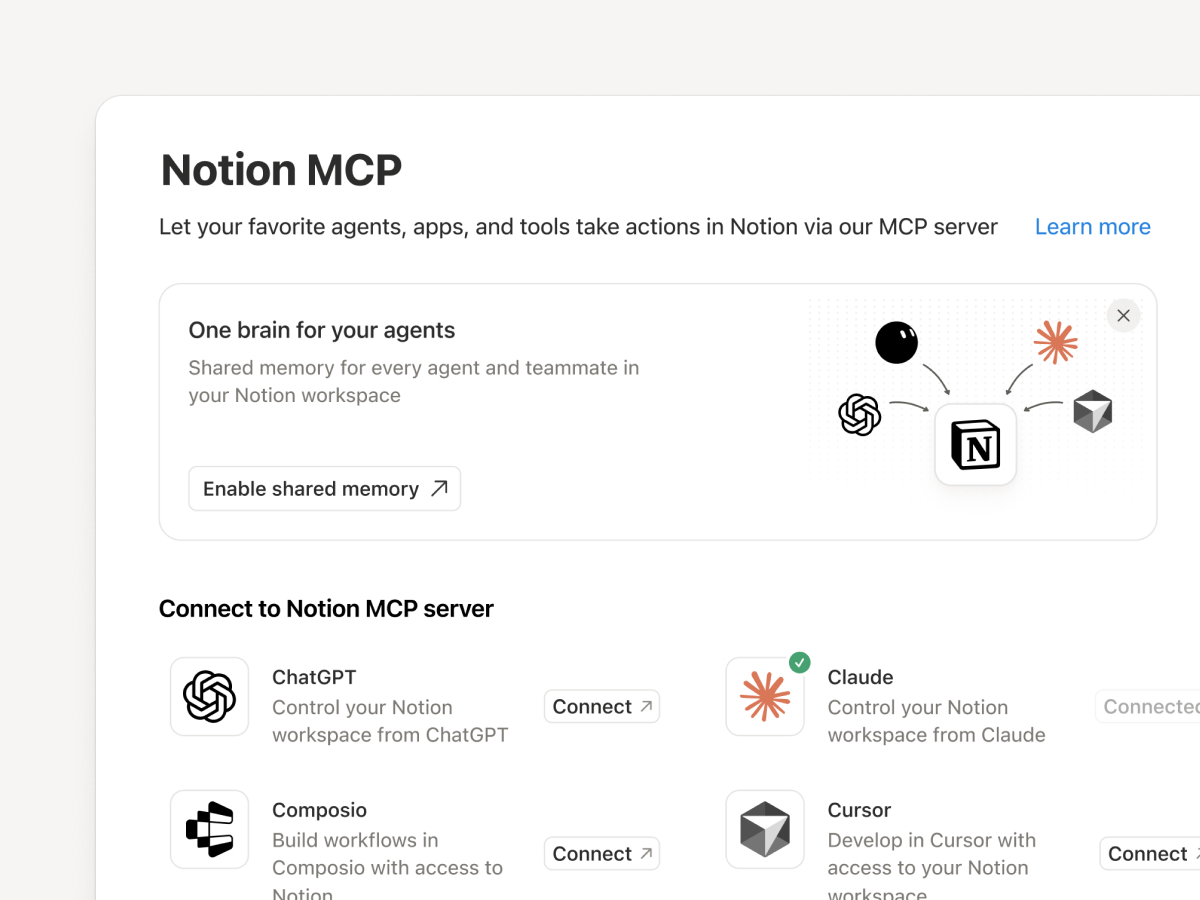
Notion's release image shows agent connections in its workspace settings. View official source ↗
- What it does
Notion 3.8 lets compatible agents read workspace context and update docs or trackers through MCP. Notion also lists more than 150 tool connections for its own agents.
- Who gets it
A workspace admin can see who connected each AI tool, when it was last used, and revoke an individual's access. The release also adds column permissions for database properties.
- Your move
Connect one agent to a small project area. Check what it can read and change, then review its edits in version history before expanding access.
Slack
Some shared links now open as live work in Slack
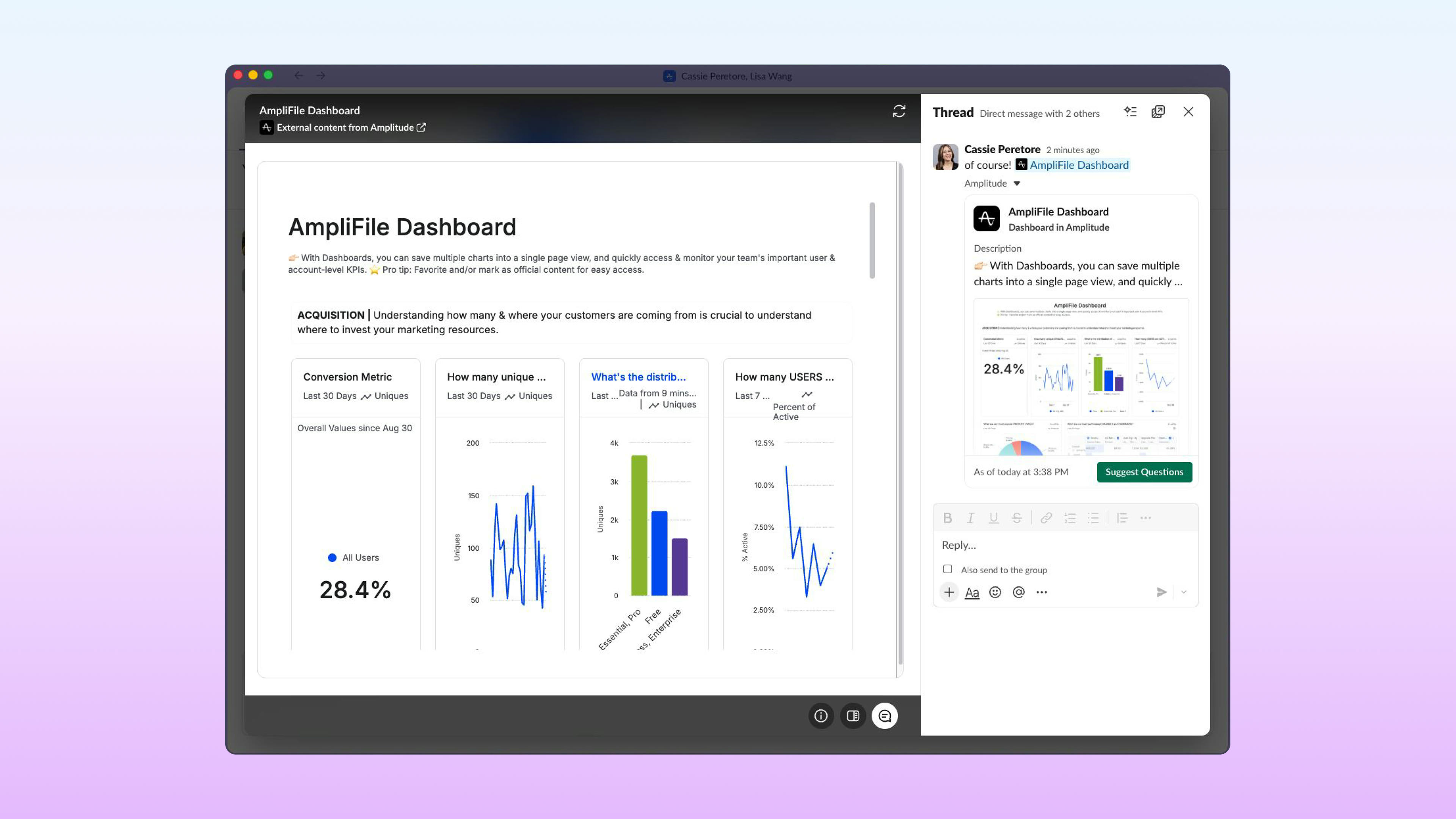
Slack's launch image shows an Amplitude dashboard open beside its thread. View official source ↗
- What it does
Work Object Embeds open supported app content inside a Slack thread. Launch examples include Amplitude dashboards, Box notes, Confluence pages, and Gamma decks.
- Who gets it
It depends on a supported app and your existing access to its content. Slack says admins can control embed access by organization or workspace; Polly's live poll example is still listed as coming soon.
- Your move
Share one supported dashboard in a test thread. Confirm viewers only see what their app permissions allow, and decide whether the inline view improves the review conversation.
Also since the last issue
Useful updates
Notion's new AI credits
Notion changed its agent infrastructure and credit system on October 19. Its reported 90% average cost reduction for Auto is Notion’s own test; check your workspace usage before budgeting around it.
More ChatGPT voices
OpenAI began rolling out GPT-Live-1.1 and new regional voices on October 15. Options vary by account and region.
Slackbot skill sharing
Slack's October 8 update explains how to send a revocable skill link to someone in another organization. The recipient saves a copy, not your workspace data.
15-minute try
Check one AI-built dashboard before sharing
Use a small dataset you know. Ask Gemini for one chart, then check the numbers and filters against the original data. If you export the app to Sites, open the draft as a viewer and check its permissions before publishing.
Before you share
Check the audience and the source
For a deck, site, or live embed, ask two simple questions: Who can open it? Which data does it use? A polished result can still show the wrong numbers or reach the wrong people.