Spreadsheets
Turn a Google Sheet into a working mini-app
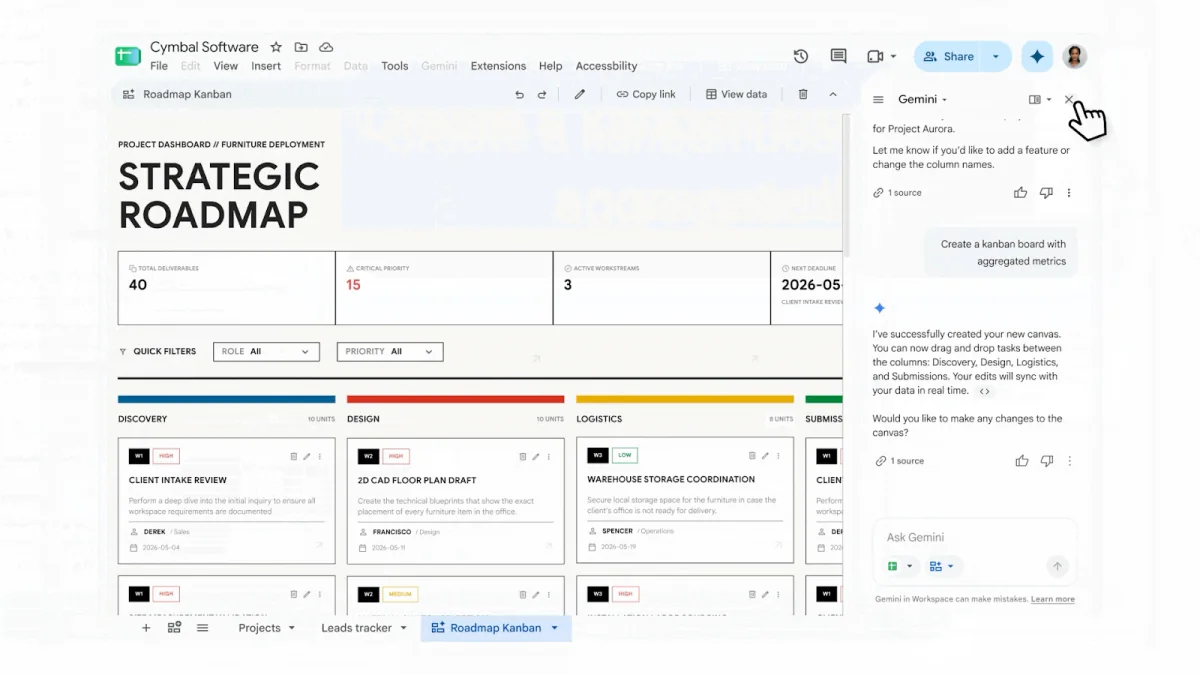
The source Sheet is now a visual kanban canvas, and Google says edits sync with the data in real time. See the original demo ↗
- What it does
Sheets canvas builds a dashboard, tracker, or operating screen over a spreadsheet. Changes write back to the source cells.
- Who gets it / what it costs
It is rolling out on the web to listed Workspace and Google AI plans. English and Gemini in Sheets are required. Google disclosed no separate price or exact creation limit.
- Your move
Start with a copy. Change one value in the canvas and confirm the source cell changed before live data.
Prototyping
Publish a working prototype from a Grok prompt
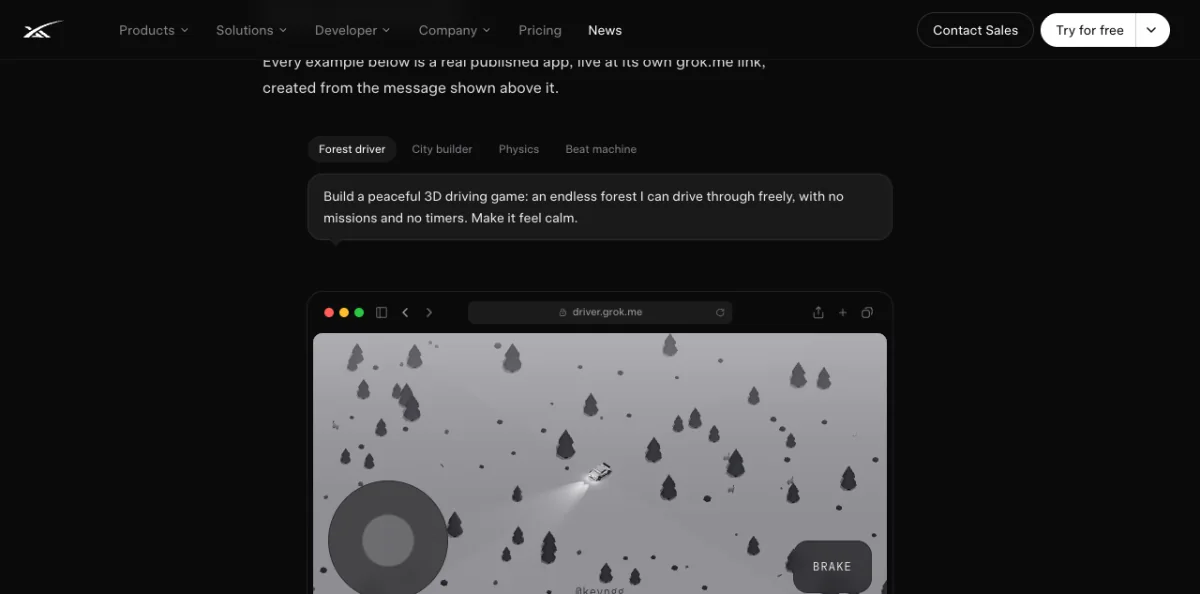
The release pairs the original prompt with a working game at its own grok.me address. Try the examples ↗
- What it does
Describe an app, game, website, or dashboard and Grok Build creates a working version. You can publish it, set access, use a custom domain, or export to GitHub.
- Who gets it / what it costs
Build is on every Grok plan, including Free, on web, iOS, and Android. xAI does not publish a separate Build price or exact allowance.
- Your move
Build one disposable internal tool with invented data. Check link access, mobile view, and exported code before sharing.
Delegation
Delegate recurring work to a Grok Bot
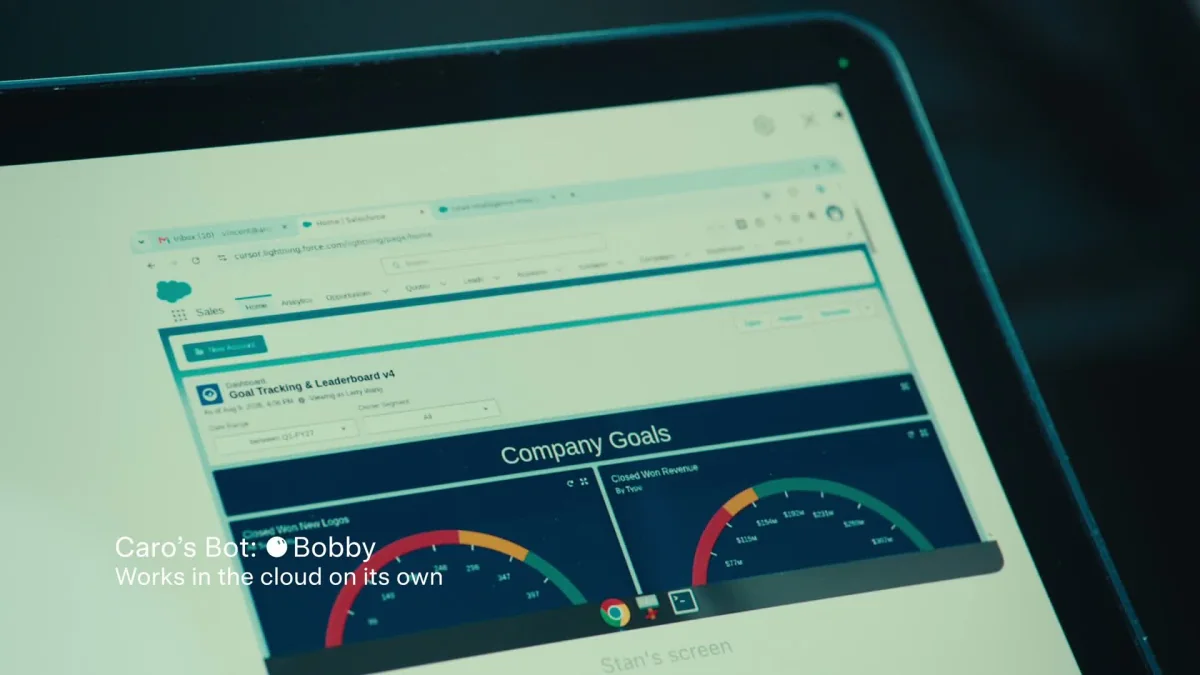
A named Bot is working inside a cloud desktop after the user steps away. Watch the original ↗
- What it does
Grok Bot is a named AI teammate with a persistent cloud computer, browser, terminal, app sessions, memory, and routines. It can keep working after your device closes.
- Who gets it / what it costs
Access includes SuperGrok Plus and Heavy, Cursor Pro+ and Ultra, and eligible Cursor Teams plans. Individual access starts at $60 per month through Cursor Pro+ or $100 through SuperGrok Plus.
- Your move
Give one Bot a read-only job with invented data. Require approval for sending, publishing, deleting, buying, or changing systems, then remove its files and logins.
Security boundary Every Bot owned by one user shares the same computer, files, browser sessions, and logins. Separate Bots are not security boundaries.
Meetings
Let Google Meet take notes in a physical room
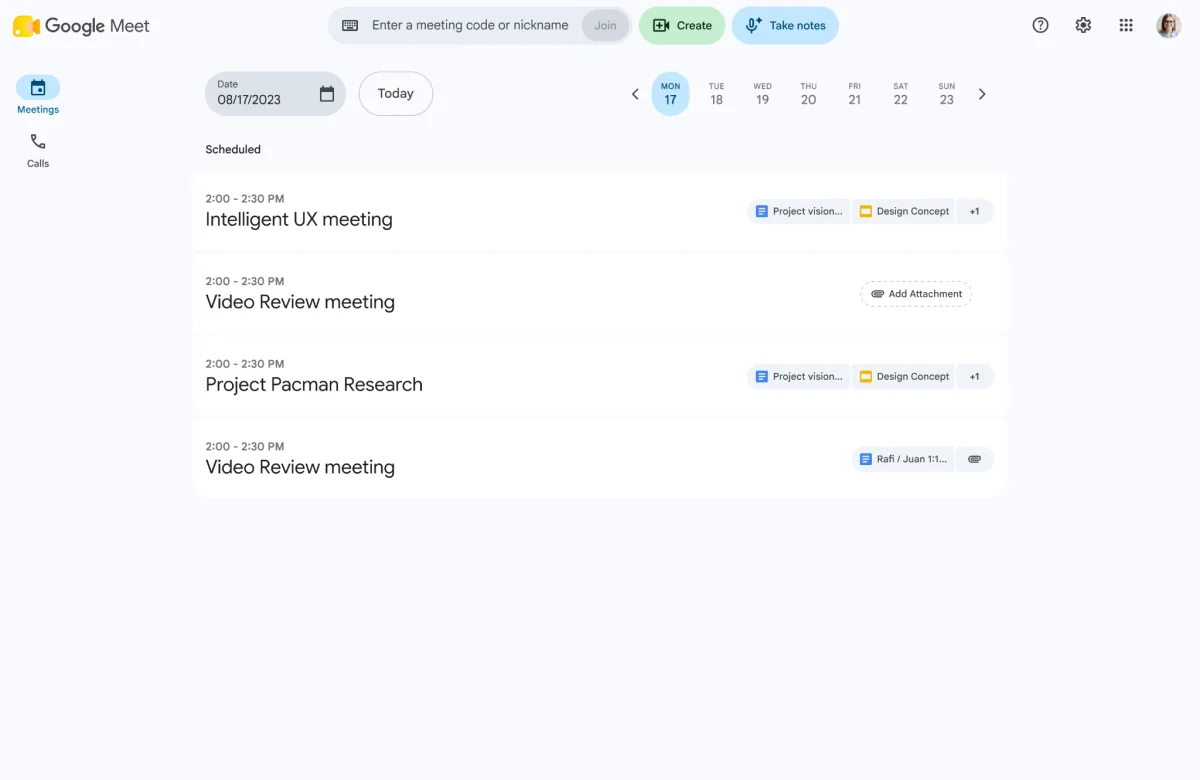
The new Take notes button starts capture from the Meet home screen without a video call. See the original ↗
- What it does
Take notes for me captures an in-person meeting and saves audio, transcript, summary, and actions to a Google Doc.
- Who gets it / what it costs
Android rollout started August 11, web August 14 or later, and iOS August 31 or later. Listed Workspace and Google AI plans include it at no separately disclosed price.
- Your move
Announce capture, confirm consent, and check the saved Doc, access list, names, decisions, actions, and deletion date.
Capture boundary One language at a time. Required consent is off by default. Notes follow the organization’s Meet retention policy.
Model and market check
No consumer subscription switch this week
Gemini 3.7 Flash launched with an API rate that doubles January 1. Grok 4.6 entered GitHub Copilot. Neither warrants a consumer subscription switch.
Before you upgrade
Three questions before checkout
- AccessIs it already in your plan?
- AllowanceIs the usage limit public?
- BoundaryWill it edit data, publish a link, record a room, or keep working across apps?
15-minute no-code try
Test the Sheets writeback
- CopyDuplicate a safe Sheet.
- BuildAsk Gemini for one canvas view.
- ChangeEdit one value in the canvas.
- ProveCapture the source cell before and after.
Term without the jargon
Persistent cloud computer
A remote computer that keeps its files, sessions, and state between tasks, even when your own device is closed.
Workspace Studio identities, API pricing, ZDR, and Codex GitLab belong in the Builder edition →.
Price and availability ledger
| Change | Available to | Cost signal |
|---|---|---|
| Sheets canvas | Listed Workspace, education, and Google AI plans. | No separate price. Web, English, Gemini enabled. |
| Grok Build | Every Grok plan. | Free included. Exact allowance undisclosed. |
| Grok Bot | SuperGrok Plus and Heavy. Cursor Pro+ and Ultra. Eligible Cursor Teams plans. | Individual access starts at $60/month. One computer per user across all Bots. |
| Meet in-person notes | Listed Business, Enterprise, Frontline, education, and Google AI plans. | No separate price. Notice, consent, Drive access, and retention matter. |
Verification notes
- Core research covered August 13 through August 19. Revision links and assets were checked August 25.
- Every development exposes a primary source before its decision brief.
- Every product claim uses an official image, official demo frame, or screenshot of an official live example.
- Screenshots contain no credentials, private data, or portfolio information.
- Announcement, rollout, availability, and price dates remain separate.
- Grok Build and Grok Bot are separate jobs and now have separate stories.
- No confidential portfolio information is included. The published copy contains no em dashes.