Slack
Slackbot can now start a task when something happens in Slack
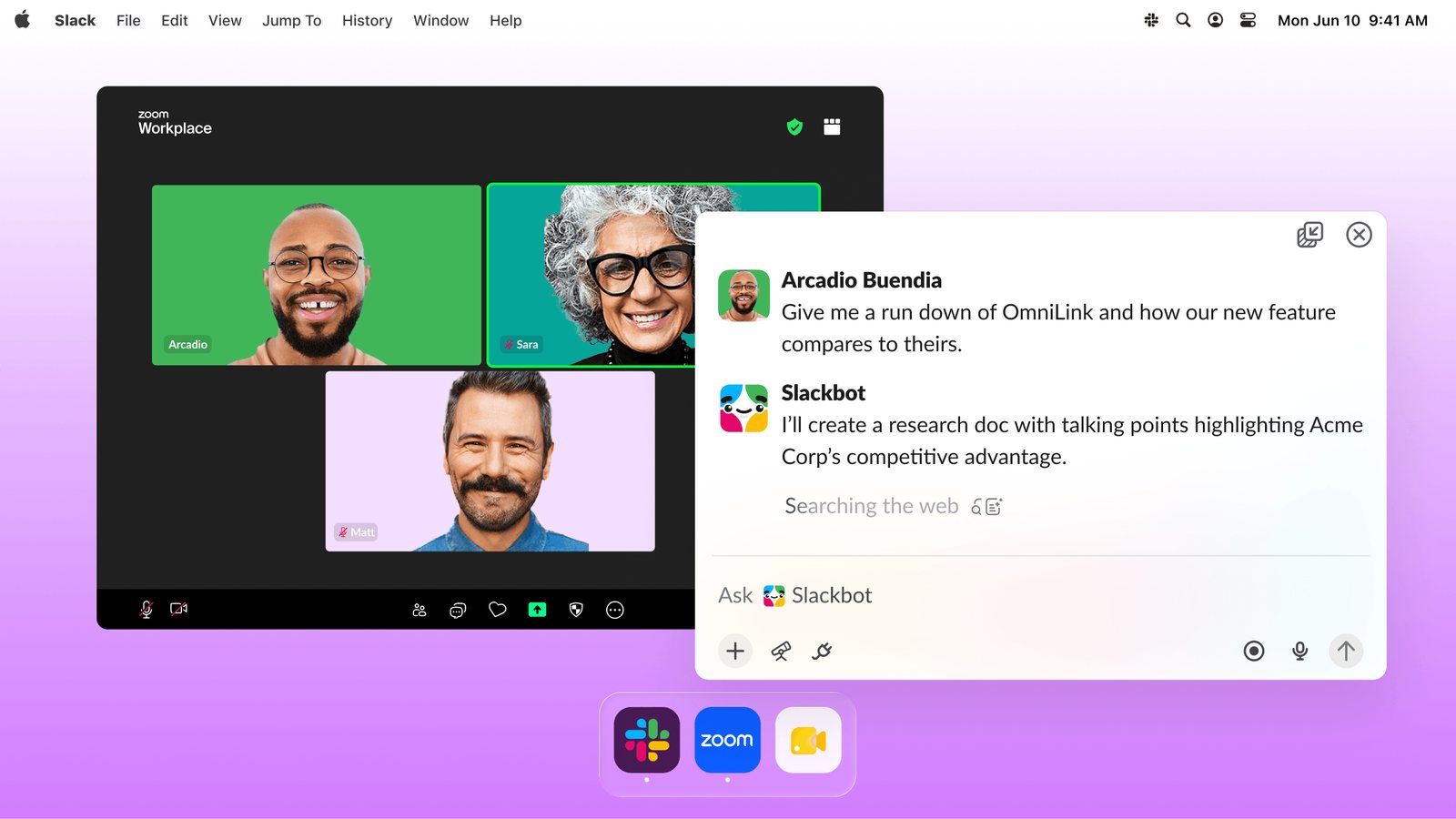
Slack's launch image shows Slackbot Mini open beside a Zoom call. View official source ↗
- What it does
Slackbot tasks can now start when a message is posted, a reaction is added, a list item changes, or a channel is created. Slackbot Mini adds a floating window on macOS and Windows.
- Who gets it
Slack's help center lists Slackbot tasks on all plans, with limits that vary by plan. You choose "ask me first" or auto-approval. Enterprise+ has no Advanced Features limits at launch.
- Your move
Set up one task that asks you first, such as a summary when a list item changes. Check its first few runs before switching it to auto-approval.
Google Meet
Google Meet can now translate speech in 63 languages
| Plan | Translation per meeting |
|---|---|
| Business, Enterprise, Google AI Pro | Up to 90 minutes |
| Google AI Ultra, AI Expanded or Ultra Access | Up to 8 hours |
- What it does
Meet detects the language each person speaks and translates it into each listener's chosen language in near real time. It works on web and mobile, with listening on Meet hardware.
- Who gets it
Rapid Release domains got it from October 22, Scheduled Release from November 2 over up to 15 days. Plans include Business and Enterprise Standard and Plus, Frontline Plus, and Google AI Pro and Ultra.
- Your move
Try it in a short internal call with a colleague who speaks another language. Keep decisions in writing, since speech from meeting-room hardware isn't translated for others.
Google Slides
Gemini can edit a whole Google Slides deck from one prompt
- What it does
In the Slides side panel, one prompt can now update several slides or an entire deck. Gemini can refresh styles, pull in content from Drive files, or match another presentation's look.
- Who gets it
It's rolling out in English to Business and Enterprise Standard and Plus, and Google AI Pro and Ultra. Higher limits last through at least December 1; Google hasn't published the limits after that.
- Your move
Use it on a deck you're about to refresh anyway. Note which edits you keep, so you know what's worth using once the December limits arrive.
Claude plans
Claude's $200 plan is now called Ultra, with no five-hour limit once verified
| Plan | Monthly | Usage vs Pro | Five-hour limit |
|---|---|---|---|
| Pro | $20 | 1× | Yes |
| Max | $100 | 5× | Yes |
| Ultra | $200 | 10× | Removed |
- What it does
Anthropic renamed Max 20x to Ultra at the same $200 a month. Verified Ultra accounts no longer have the five-hour limit; the weekly limit and a separate Fable limit still apply.
- Who gets it
Existing Max 20x subscribers move automatically. Verification is automatic, based on account and payment history; adding a phone number doesn't trigger it. Ultra is monthly only, and mobile prices may differ.
- Your move
If you're on Max and keep hitting the five-hour limit, look at a month of usage before upgrading. On Ultra, no "Current session" bar in Settings > Usage means your account is verified.
ChatGPT plans
ChatGPT Pro and Business now include monthly API credits
| Plan | Monthly API credit |
|---|---|
| Pro | $100, $200, or $500, matching your tier |
| Business Standard | $20 per paid seat |
| Business Premium | $100 per paid seat |
- What it does
Pro and Business subscribers can link an API organization they own and receive API credits every month. Unused credits expire at the end of each billing cycle.
- Who gets it
Paid Pro and Business subscriptions at least seven days old, with the same owner and email as the API account. Enterprise, trials, and complimentary plans don't qualify. The credits don't raise ChatGPT limits.
- Your move
If you already pay for Pro or Business, claim the credits in billing settings. Use them to try one small API task before buying more.
Also since the last issue
Useful updates
No new flagship model
OpenAI released GPT-6.1 Terra on October 26, a faster and cheaper model for developers. Google's new Gemini 4 Carbon is limited to selected security teams, and Anthropic launched no model.
Files in the Gemini app
Gemini can now create, preview, and edit files in the chat, including docs, sheets, slide decks, and PDFs. PDF editing works on web and mobile; other formats are web only.
Google Jules is closing
Google's coding agent becomes read-only after November 11 and shuts down on December 31. Export your settings and session history before then; code and pull requests stay in GitHub.
15-minute try
Edit a copy of one deck with Gemini
Duplicate a deck you know well. Ask Gemini in Slides to apply one change across every slide, such as a new title style. Compare the copy with the original and check any names or numbers it rewrote.
Before you upgrade
Max or Ultra?
Ask three questions. Have you hit the five-hour limit in the last month? Would twice the weekly usage change what you finish? Will you use the extra API credits? If the answers are no, Max is enough.