Claude plans
Pro and Team users get a week of Claude Fable 5.2
| Plan | Offer |
|---|---|
| Pro, standard Team | Free week |
| Max, Ultra, premium | 1 to 3 resets |
| Free, most Enterprise | None |
- What it does
Anthropic released Claude Fable 5.2 on November 9. Pro and standard Team seats can use it without extra charge until November 16 at 11:59 pm PT.
- Who gets it
Max, Ultra, and premium seats get one to three limit resets based on how long they have subscribed. After the free week, Pro and standard Team usage of Fable bills to usage credits if they are turned on.
- Your move
Run one hard task you already know well on Fable this week and compare it with your usual model. Decide before November 16 whether to leave usage credits on.
Claude
Claude can now make spreadsheets and team whiteboards
- What it does
Claude Sheets builds and edits spreadsheets with tabs, formulas, and drop-downs, and shows its edits. Claude Whiteboards turns notes into a shared board that can become a doc or deck. Claude Data, formerly Dashboards, is now generally available.
- Who gets it
All paid plans, on web, desktop, and mobile. Team plans have all three on by default. Enterprise has Sheets and Whiteboards off, and turns Claude Data on by default on November 19.
- Your move
Try Sheets on a small tracker, not a financial model. Anthropic calls it simple spreadsheet functionality for now, so export to .xlsx when you need full Excel.
Microsoft 365 Copilot
Copilot can now update records in connected apps
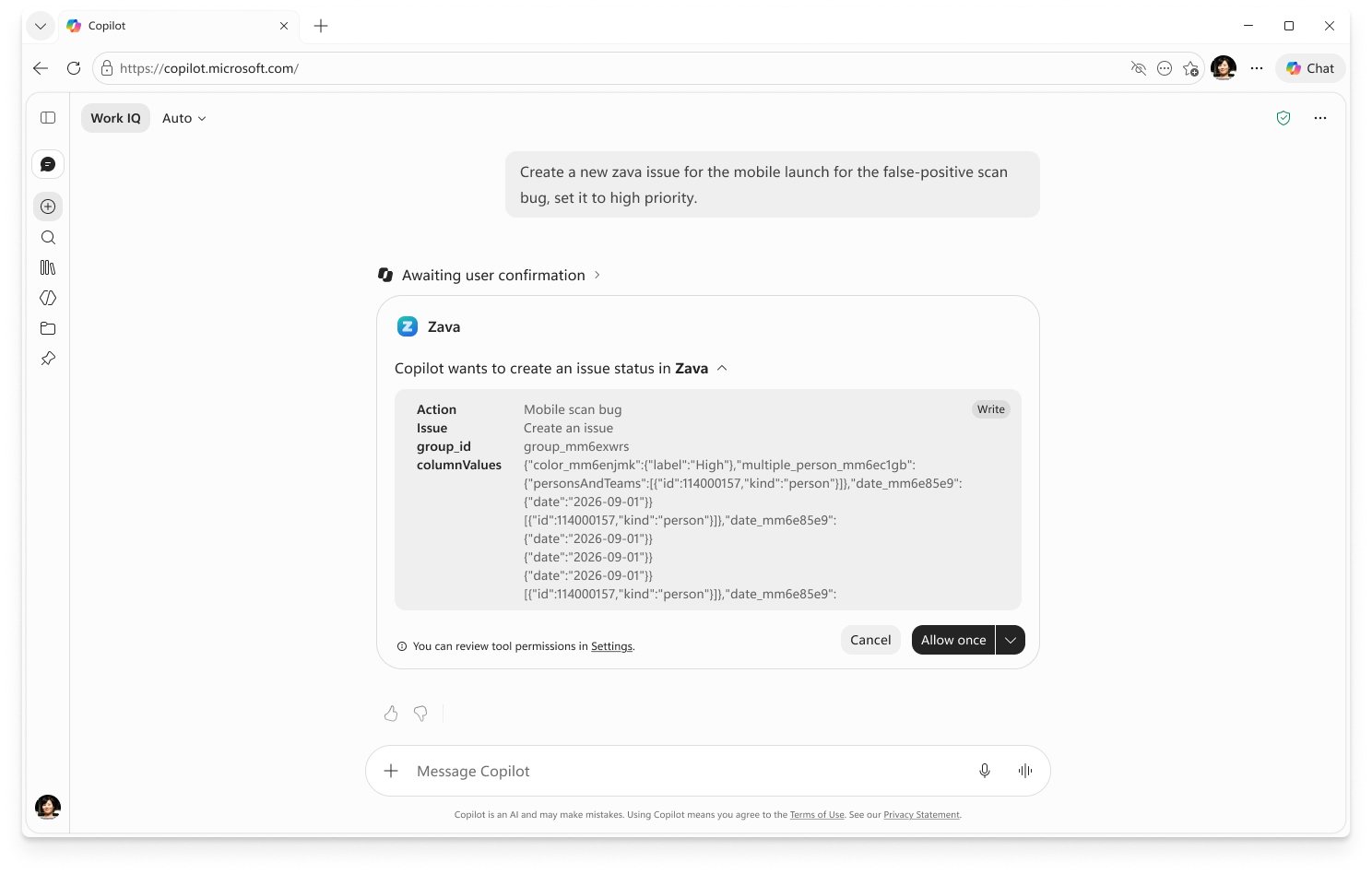
Microsoft's documentation shows Copilot waiting for approval before it writes to a connected app. View official source ↗
- What it does
In Copilot Chat and Cowork, Copilot can now create, update, or delete records in connected apps after you approve the action. Named connectors include Atlassian Rovo, Notion, Canva, G2, iManage, and BioRender.
- Who gets it
It's generally available for connectors that support write tools; Office apps are coming later. New write tools ask for approval by default, and you can choose Allow once or Always allow for each tool.
- Your move
Keep approval on for anything that changes shared records. Admins should review each connector's write tools in the Microsoft 365 admin center before people start choosing Always allow.
Google Workspace
Teams can now share reusable skills for Gemini in Workspace
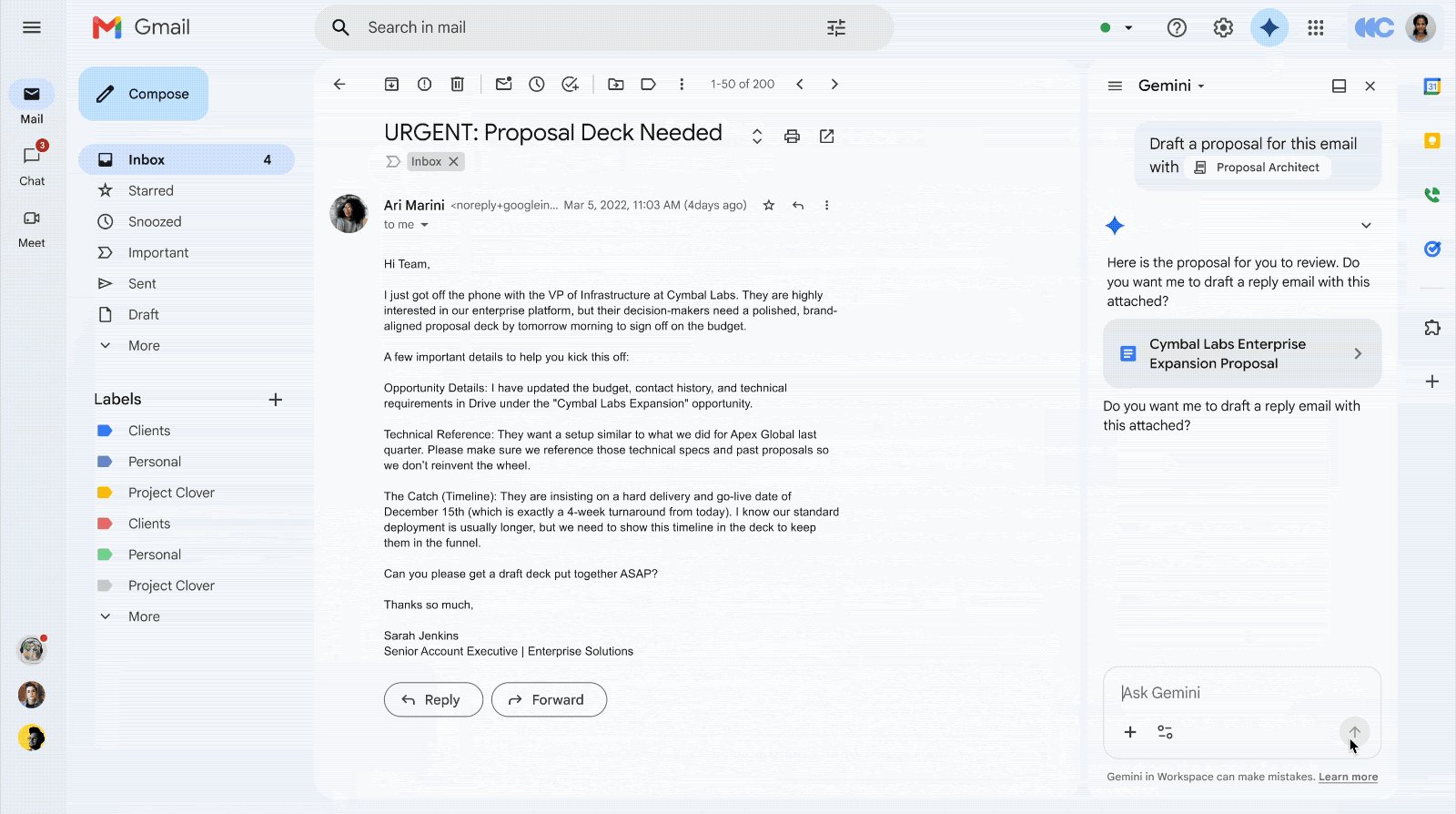
A frame from Google's demo shows a saved skill called from Gemini in Gmail. View official source ↗
- What it does
Skills are saved instructions with your team's rules, templates, and reference files. Gemini applies them in Gmail, Docs, Slides, Drive, and Chat, either automatically or when you mention the skill.
- Who gets it
Rapid Release domains from November 9 and Scheduled Release from November 30. It's on by default for Business and Enterprise Starter, Standard, and Plus, for users 18 and older, in English. It's not in Sheets or Meet yet.
- Your move
Turn one repeated task, such as a proposal format, into a skill and share it. Shared skills are copies, so tell people when you update the original.
Adobe Firefly
Adobe Firefly Design is open to everyone during its beta

Adobe's release image of the Firefly Design canvas. View official source ↗
- What it does
Firefly Design puts raster, vector, motion, 3D, and print work on one canvas, with AI help throughout. Adobe announced it at MAX on November 10.
- Who gets it
Adobe says it's available to all users during the public beta and that access will be tiered at general availability. Adobe hasn't said whether beta use draws on generative credits.
- Your move
Try it on a small campaign that needs the same art in several formats. Keep final files in your usual tools until Adobe publishes the plans for general availability.
Also since the last issue
Useful updates
Gemini 4 Carbon in the Gemini app
Google is rolling out Gemini 4 Carbon to Google AI Ultra subscribers in the Gemini app and AI Mode in Search. With Fable 5.2, it's one of two frontier models released this week.
Gemini in Gmail for more users
Gmail's thread summaries and Help me write are rolling out to all Workspace users 18 and older from November 10. They're on by default; users and admins can turn them off.
Perplexity Teammates
Perplexity's Teammates are agents that take on ongoing work. They're a research preview for individual Max subscribers on the web and draw on Max credits.
15-minute try
Compare Fable 5.2 on one real task
Pick a task you did recently and know the right answer to, such as a summary of a long document. Run it on Fable 5.2 and on your usual model. Check accuracy and how much of your weekly limit each used.
Before you allow it
Three checks for Copilot write actions
Which connected apps can Copilot change? Who on your team can choose Always allow? Can you see a record of what Copilot changed? Settle these before turning on write tools broadly.