Hey folks,
This is the third post in a series about building Tactix, an AI platform for restaurant operators. The first was about the multi-agent architecture. The second was about the data flywheel that feeds it. This one is about the layer underneath both: who is allowed to see what, and how an AI agent asks that question without ever getting the wrong answer.
It sounds like a boring problem. It is not. Access control is where AI agents quietly become dangerous. An agent that can pull any store's numbers is a feature right up until the moment it answers a regional manager's question with a store they were never supposed to see. The agent didn't do anything wrong. It just inherited a data model that was never built to say no.
So we rebuilt the data model. Not the agents, not the pipeline. The relationships underneath them, and the single function that decides what every user, and every agent acting on their behalf, is allowed to touch.
Here's the whole thing.
The model we started with, and why it broke
Like most early products, we started with the simplest thing that worked. A user had a role string. A user had a bag of store_ids they could see. Each way of grouping stores, by area, by brand, by channel, got its own table. It was fine for the first few build partners.
Then reality showed up, and it showed up in three ways.
The role enum was a straitjacket. A user had exactly one role, picked from a fixed list in code. The day a build partner said "we have a Regional Marketing Coordinator, and they're not quite a Store Manager and not quite an admin," we were looking at a code change to support one customer's job title. That doesn't scale past a handful of partners.
One scope per user. Because access was a single store_ids[] bag, every store a user could see was seen the same way. There was no way to say "this user manages stores 1 and 2, but they're only a marketing contributor on store 5." One user, one scope, take it or leave it.
Every grouping was hard-coded. area, brand, channel, and order_type each had a table, a junction table, and a settings table. Adding "Region" tomorrow meant a schema migration, a row-level-security migration, and a code change everywhere those tables were referenced. The structure of the company's data was frozen in our schema.
And underneath all of it, every new feature had to hand-write its own access rules. We had something like thirty row-level-security policies and they drifted constantly. Each one was a chance to leak data or block a legitimate user. This is the well-documented failure mode of role-based systems at scale, usually called role explosion: you keep minting roles and policies to cover edge cases until the whole thing is impossible to reason about.
We needed something that bent without breaking.
The four ideas that fixed it
The redesign comes down to four decisions. Get these and the rest is mechanical.
Four primitives. Stores are the unit of access. Relationships describe a store but never grant access to it. Roles bundle capabilities. A grant ties one role to one user at one store.
1. Stores are a flat list. No org tree. A build partner owns stores, full stop. There is no hierarchy to walk, no parent-child closure to resolve. When someone wants "performance for Brand A," that's not a walk down a subtree. It's an intersection: the set of stores tagged Brand A, intersected with the set of stores you're allowed to see. Flat is easier to reason about and far easier to secure.
2. Relationships describe a store. They never grant access to it. This is the most important idea in the whole design, so it's worth saying twice. Area, Brand, Region, Channel: these are attributes of a store, not permissions. A store can be tagged "Brand: Brand A, Area: North, Region: West." Those tags drive how settings cascade and what chips show up in the dashboard. They do not, ever, decide who can see the store. Access and description are two different axes, and the bugs start the moment you let them blur together.
3. Roles are custom, and scoped to the build partner. Instead of a fixed enum in our code, each build partner defines its own roles. A role is just a label that bundles a set of capabilities, the atomic actions in the system like data.read or smart_action.create. A partner can spin up "Regional Marketing Coordinator" with exactly the capabilities they mean by it, and it lives in a database row, not a deploy.
4. Access is granted at the store level, one grant at a time. The only place access lives is a single table: user_store_access(user_id, store_id, bp_role_id). This user has this role on this store. Want a user to manage stores 1 and 2 but only market on store 5? That's three grant rows, and two of them point at a different role. One user genuinely can hold different roles on different stores, which the old single-bag model could never express.
Put those together and the flow of meaning is a straight line: a user is granted a role at a store; the role bundles capabilities; therefore the user has those capabilities on that store.
No tree walk. No closure table. No resolution logic to get wrong.
Why this is a hybrid, on purpose
If you've worked with access control, you'll recognize the two classic models, and you might be wondering which one this is. The honest answer is both, and that's deliberate.
Pure ACL, one row per user times store times capability, is maximally flexible and operationally miserable. Row counts explode and the admin screen turns into a spreadsheet nobody can read. Pure RBAC, one role that also implies your scope, is clean but rigid. It cannot model "this user is a custom Regional Marketing Coordinator on exactly three stores."
So we landed where most mature systems land: a hybrid. Roles bundle capabilities, RBAC-style, so the common case stays simple.
The grant attaches a (role, store) pair, which gives you ACL-grade precision exactly where you need it. Flexibility comes from having N grant rows plus per-partner custom roles, not from inflating either model on its own. Roles stay small and reusable; the customization happens in data, in bp_role, never in code. The industry consensus is consistent on this: use roles for the broad strokes and attributes or per-resource grants for the fine-grained, sensitive decisions.
The part that makes it pluggable
Here's the move that turned "add a new dimension" from a migration into an INSERT.
One generic set of tables replaces the four hard-coded ones. Adding "Region" or "Country" is data, not a schema change: insert a type, insert its values, tag the stores.
We collapsed the four hard-coded grouping tables into one generic shape:
relationship_typeanswers "what kinds of attributes can describe a store?" Area, Brand, Region, Division. Adding a kind is one row.relationship_valueis the actual tag: Brand "Brand A," Region "EMEA," Area "North."store_relationshipis the many-to-many membership. This one table replacesstore_areaplusstore_brandplusstore_channelplusstore_order_type.
So when a build partner says "we need to group by Region now," it's three kinds of INSERT: one relationship_type row, a handful of relationship_value rows, and a tag per store. No schema migration. No RLS migration. No code change anywhere. The settings cascade I'll get to in a second doesn't even need to be told the new type exists, it treats all relationship types uniformly, so a new one participates automatically.
There's a separate, smaller knob for visibility: a single boolean on the user, show_relationships, controls whether the UI and the agent surface those relationship chips at all. Worth stressing, because it's the same trap as before: that boolean toggles labels, not access.
Flipping it off doesn't hide a single row the user could otherwise see. It just stops painting the "Brand: Brand A" chips on the screen.
One function to rule them all
Now the keystone. Everything above is just data modeling unless there's a single, trustworthy place that answers the question "can this user see this store?" If the PWA answers it one way and the agent answers it another, they will drift, and drift in an access system means a leak.
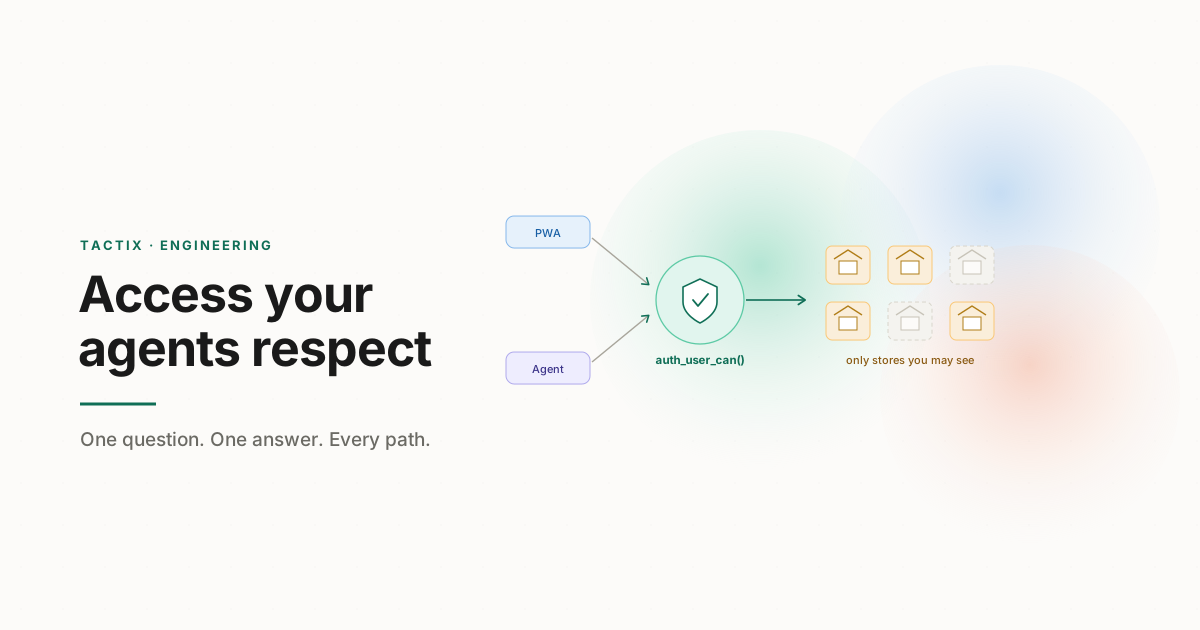
So there's exactly one answer, and it lives in Postgres: a function, auth_user_can(user, capability, store), plus its companion auth_accessible_stores(user). One source of truth, called by everything.
Supabase is authoritative for who can see what. The PWA gets row-level security transparently; the agent asks the same function for its allow-list. BigQuery only ever receives store IDs the user is already allowed to see.
The trick is that this one function gets enforced through two different doors, and both doors are the same underneath.
For the PWA, it's Postgres Row-Level Security. Rather than scatter access checks across API handlers and hope nobody finds a gap, the database itself enforces them. RLS is a Postgres feature that appends an implicit WHERE clause to every query based on who's asking; a row either passes the policy or, as far as the user is concerned, does not exist. We point those policies at the same auth_user_can function. The dashboard developer writes a normal query and gets back only the rows the user is allowed to see, automatically. This is the defense-in-depth argument for RLS: even if the application layer has a bug, the database refuses to hand over rows the policy forbids.
For the agent, it's an explicit allow-list. An analytical agent doesn't run simple OLTP reads; it fans out across tools and warehouse queries. So the agent calls auth_accessible_stores(user_id) exactly once at the start of a request, caches the allow-list (and the show_relationships flag) for that request, and passes that list into every downstream tool call. The agent never invents scope. It cannot decide for itself which stores are fair game, because it never has the authority to: it only ever has the list Supabase already handed it.
And this is the rule that ties it back to the data pipeline from the last post. BigQuery never holds a single grant. It's our analytics and dimension store, and it only ever receives a list of store IDs that the user is already cleared to see. Authorization happens in Supabase, every time, for everyone. The warehouse is told the answer; it never gets a vote. Relationship tags mirror to BigQuery nightly so we can do "by Brand" and "by Region" rollups, but grants stay home.
That's the whole point of the design: the PWA path and the agent path cannot drift, because they are not two implementations of the same rule. They are two callers of the same function.
What this buys us
A concrete picture. Northwind is a build partner with five stores. User 1 is the BP Admin and sees all five. User 2 is a Store Manager on stores 1 and 2. User 3 is a custom Regional Marketing Coordinator on stores 1, 2, and 5. User 4 is a North Operations Lead on stores 1 and 2.
User 3 opens the Co-Pilot and asks, "How did Brand A do on rainy Fridays last quarter?" Here's what happens.
The agent calls
auth_accessible_stores(user_3)It gets back
{1, 2, 5}.It intersects that with the stores tagged "Brand: Brand A," which happen to be 1, 2, and 5.
It sends exactly those store IDs to the analytics layer. She gets her answer. If she'd asked about a brand that lived only on store 3, she'd get a perfectly honest "you don't have any stores matching that," because store 3 was never in her allow-list to begin with.
The agent didn't have to be clever or careful.
Adding a brand-new "Country" dimension next quarter? One relationship_type row, a few values, tag the stores. No migration, no deploy, and the agent can reason about Country the day it exists.
Takeaways
A few things we'd tell our past selves about building the access layer under an AI agent.
Access and description are different axes. The single most important decision we made was that a store's attributes (brand, region, area) never grant access to it. The moment those blur, you get leaks. Keep "what is this store" and "who can see this store" in separate tables with separate logic.
One auth function, called everywhere. The PWA, the agent, RLS, and analytics all answer "can this user see this store?" through the same Postgres function. Two implementations of an access rule will drift, and drift is a data leak. Make it physically impossible by having one answer.
The agent should never invent scope. Have it ask for its allow-list once, cache it for the request, and pass it into every tool call. An agent that derives its own access is an agent one prompt away from overreach. It should only ever hold the list it was handed.
Keep the warehouse out of the auth business. BigQuery never holds a grant. It receives a list of store IDs the user is already cleared for. Authorization is one job, owned in one place; analytics is a different job. Don't split the decision across systems.
Make your structure pluggable with data, not migrations. Collapsing four hard-coded grouping tables into one generic relationship model meant new dimensions became INSERTs. If adding "Region" requires a schema change, your model has frozen your customer's org chart into your database. Don't.
Hybrid beats pure. Pure ACL explodes in row count; pure RBAC can't express real-world exceptions. Roles for the broad strokes, per-store grants for precision. Almost every mature access system converges here for a reason.
If you're building the access layer under your own agents, I'd love to compare notes. Reach out.
Further reading
The references and patterns that informed this design:
Oso, RBAC vs. ABAC. a clear walk through role-based vs attribute-based access, and why most teams end up layering them.
Splunk, RBAC vs. ABAC Compared. good treatment of role explosion and where a hybrid model earns its keep.
Pathlock, ABAC vs RBAC. the hybrid-model argument: RBAC for stable roles, attributes for the dynamic, sensitive cases.
Supabase, Row Level Security. the Postgres primitive we enforce the PWA path with, and the defense-in-depth case for pushing auth into the database.
Supabase, Authorization via Row Level Security. how RLS combines with auth for end-to-end, browser-to-database access control.
MakerKit, Supabase RLS Best Practices. production patterns for multi-tenant RLS, including pushing complex logic into reusable SQL functions.
Until next time, Amit & Sahej.